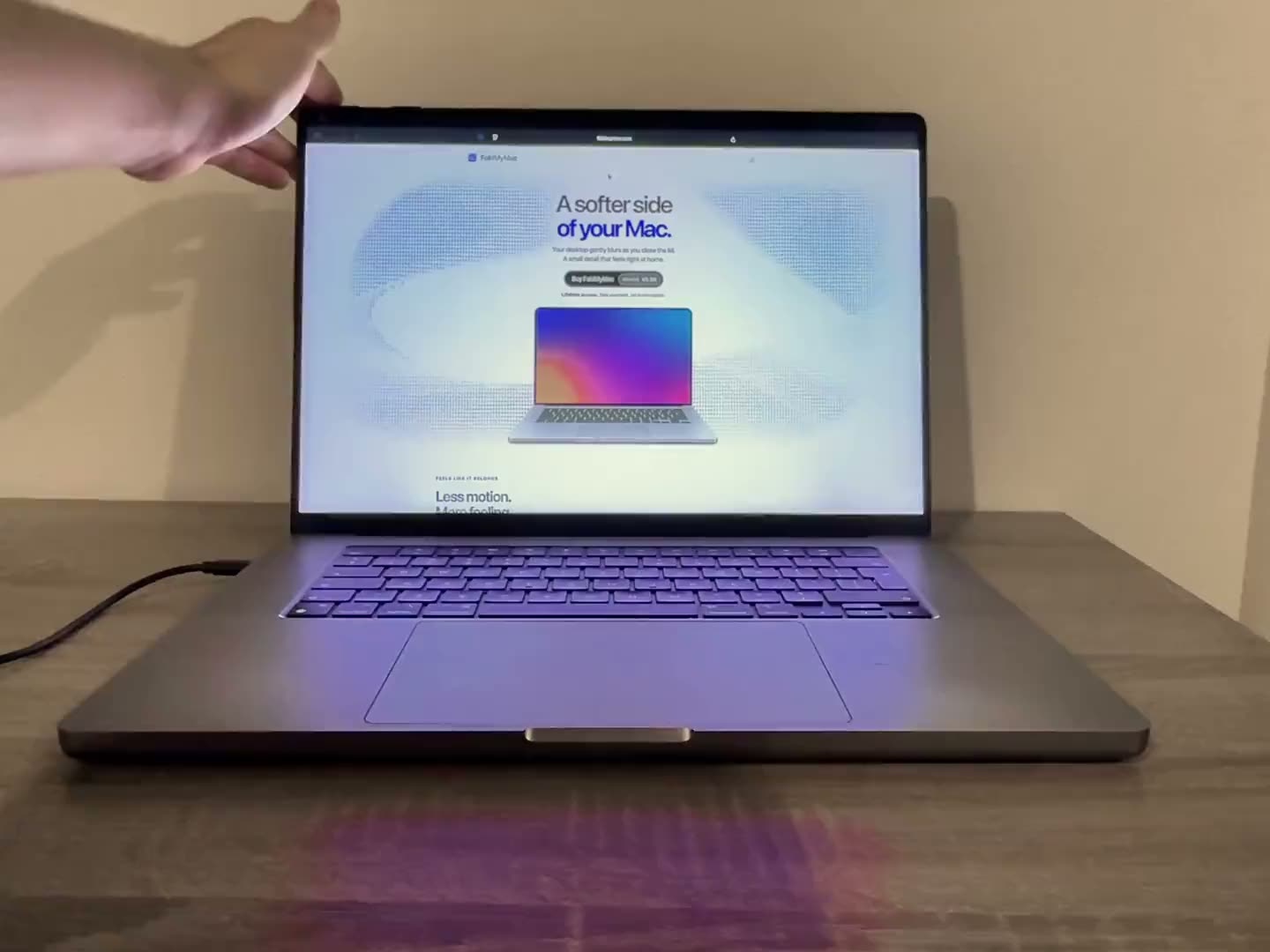
Not out of the box. macOS has no built-in setting for an iPhone-style fold animation on a Mac, but a third-party menu-bar app can do it. FoldMyMac reads the MacBook's lid-angle sensor and bends and blurs your desktop as you close the lid, so the iPhone fold animation on Mac becomes something you can actually see on your own screen. FoldMyMac is an independent project and is not affiliated with Apple.
What the effect looks like
The idea is simple. As the lid comes down, your desktop does not just sit there until the screen goes dark. It folds with the hinge, the way a physical sheet would. When you open the lid again, the desktop springs back to normal.
Perspective, softness and shadow
In FoldMyMac, the desktop folds in perspective toward the hinge, softens toward the top and darkens along the folded edges. The result reads as a real surface bending rather than a flat fade. The short clip on the how it works page shows it running on a real MacBook: the desktop bends and blurs toward the hinge as the lid closes, then returns to normal as it opens.
Because the fold follows the hinge, the speed of the animation is your own hand. Close the lid slowly and the desktop folds slowly. Stop halfway and the fold stops halfway. Nothing is timed or triggered by a shortcut, which is the main difference from a fixed screen transition. At a lid angle you can configure, the desktop clears, and opening the lid brings it back.
It is a visual effect, not a utility. It will not make your Mac faster or add a feature you need every day. It just makes a small everyday motion, closing a laptop, feel a little more physical.
Why macOS does not do this natively
There is no system setting, accessibility option or hidden preference in macOS that applies a fold animation when you close the lid. Closing a MacBook lid puts the Mac to sleep or leaves it running, depending on your setup, and the display simply turns off. Why Apple has not built a fold effect is not something we can say, so we will not guess. What matters in practice is that if you want the effect on a Mac, you need an app that adds it.
How a Mac app can drive it from the lid
Three pieces make it work, and each one runs on your Mac.
Lid-angle sensor, desktop capture and Metal
- Lid-angle sensor. Many Apple silicon MacBooks have a built-in sensor that reports the hinge angle. FoldMyMac reads it continuously, so the fold follows the real position of your lid. There is nothing to press.
- On-device desktop capture. To fold your actual desktop, the app needs a live image of it. It gets one through Apple's ScreenCaptureKit, which is why macOS asks for Screen Recording permission. The frames stay on your Mac, nothing is saved or uploaded, and no audio is captured.
- Metal rendering. The fold is drawn in real time with Metal, Apple's graphics framework. When the fold clears, the overlay is removed and screen capture is released, while the lid sensor stays ready for the next fold.
For the longer version, read How FoldMyMac works.
This is also why an app has to do the work itself. macOS does not hand third-party apps a ready-made lid animation, so FoldMyMac builds its own overlay from the sensor reading and a live capture of the desktop. That overlay is what you see bending, and it is removed once the fold clears.
Setting it up in five steps
Your download link and licence key arrive by email as soon as the payment goes through. Then:
- Download the DMG and open it.
- Drag FoldMyMac onto Applications.
- Launch it. macOS says the app was blocked. Click OK, then open System Settings, go to Privacy & Security and click Open Anyway.
- Allow Screen Recording when asked.
- Paste your licence key. The effect is on, and the app lives in your menu bar.
The FAQ covers the same steps if you want to double-check anything before you start.
Customizing the look
You do not have to accept one fixed animation. The settings window includes a live preview, so you can see changes before you close the lid.

Looks, sliders and clear angle
- Three looks: Silk, Shade and Frost.
- Three sliders: perspective, blur and shadow.
- Clear angle: choose the lid angle at which the desktop clears, or press Use current angle to take whatever angle your lid is at right now. That helps if your normal lid position shows an effect.
- Soft click: optional, plays when the desktop clears.
One practical tip: open the settings window first and play with the manual slider. It lets you judge the look of Silk, Shade and Frost at different perspective, blur and shadow values without touching the lid at all, which is also handy if you are working at a desk and do not want to keep opening and closing the laptop.
Will it work on your MacBook?
FoldMyMac needs macOS 14 Sonoma or later, an Apple silicon MacBook with a readable lid-angle sensor, and Screen Recording permission. The chip alone does not guarantee compatibility, because not every model exposes the sensor to apps.
What has been tested
The effect has been tested on an M5 MacBook Air. Automatic lid tracking is currently unsupported on the 2020 M1 MacBook Air and on the M1/M2 13-inch MacBook Pro with Touch Bar. Intel Macs are not supported at all. If your model has no usable sensor, the manual slider in the app still previews the animation, so you can see what it looks like before deciding. The compatibility page lists each model with its status. If you are unsure, you can write to us and we will check your model.
Limits to know about
- Protected video. It cannot appear inside an active fold. If your normal lid position shows an effect, use Lid Behavior, then Use current angle, or pause the app while watching.
- External displays. They stay unchanged. The fold applies to the MacBook's own desktop.
- Pausing. Click FoldMyMac in the menu bar or press Escape to pause it at any time.
If the effect shows up when you do not expect it, for example because your usual lid position sits at a slightly closed angle, set the clear angle to match how you normally work. That keeps the desktop clean during everyday use and reserves the fold for when you actually close the lid.
FAQ
Does FoldMyMac record my screen?
No. Despite the permission's name, FoldMyMac does not save a recording, does not capture audio and does not send screen content anywhere. Frames are processed on your Mac, and capture stops when the fold clears.
Does it work on Intel Macs?
No. FoldMyMac supports Apple silicon MacBooks only, and it needs macOS 14 Sonoma or later.
Can one licence cover more than one Mac?
No. One licence key activates one Mac. It is a one-time payment with a lifetime licence, with no account and no subscription. If you move to a new Mac, deactivate the old one in the app or write to us and we will release it.
Can I try the animation without a lid-angle sensor?
Yes. The manual preview slider in the app works without a sensor. Automatic lid tracking still needs a MacBook whose sensor macOS exposes to apps.
If you want to see it on your own MacBook, you can get FoldMyMac or read the full FAQ first. More articles are on the blog.