The MacBook lid angle sensor is a hidden sensor in the hinge that reports how far the lid is open, in degrees. Apple has not published a public API for it, so apps read it through the generic HID (human interface device) layer in IOKit, and support depends on the exact Mac model. This guide covers what it is, how apps read it, and how to check your own Mac.
What the lid angle sensor is
A lid angle sensor measures the angle between a laptop's display and its base. On a MacBook that means a number that goes towards zero when the lid is shut and rises as you open it. Most people never see this value, because macOS uses the lid state mainly to decide when to sleep or wake the machine, and Apple does not show the raw angle anywhere in System Settings.
The sensor is not a feature you can switch on. It is a piece of hardware that some MacBooks expose to software and others do not. That difference is the reason the question "does my MacBook have a lid angle sensor?" has no one-line answer.
Where it came from
Apple has never documented the sensor, so there is no official launch note to point to. What public tooling says is more modest. The open-source mac-angle project describes support for the 2019 16-inch MacBook Pro and newer models, and lists M1 MacBook Air and Pro models as restricted. Treat that as a community observation rather than an Apple statement. Nobody outside Apple can say for certain which model introduced the part.
Why Apple silicon alone does not guarantee a sensor
It is tempting to assume every Apple silicon MacBook has a readable hinge sensor. It does not. FoldMyMac's own compatibility page states that the chip alone does not guarantee compatibility, and that automatic lid tracking is currently unsupported on the 2020 M1 MacBook Air and the M1/M2 13-inch MacBook Pro with Touch Bar. The open-source lid-plane project says much the same: the interface is undocumented, which is why support varies by model.
So the sensor is a property of the individual machine and macOS release, not of the processor generation.
How apps read the hinge angle
Apps do not ask macOS "what is the lid angle?" through a named function. They look for a particular HID sensor device and request a report from it, in the same way they would talk to other input hardware.
It shows up as a HID sensor device
On machines that expose it, the hinge sensor appears as a HID device with Apple's vendor ID 0x05AC, the Sensor usage page 0x20 and usage 0x8A. FoldMyMac matches on exactly those three values in its sensor code, and the public mac-angle project documents the same page and usage pair. You can see the idea in this simplified sketch of the matching dictionary:
vendor ID      0x05AC   (Apple)
usage page     0x20     (Sensor)
usage          0x8A
If no device matches, the Mac either has no readable sensor or macOS is not exposing it, and an app has nothing to read.
Polled with a feature report
The angle is not pushed to apps as a stream of events. An app opens the device and requests a feature report, which returns a small block of bytes containing a 16-bit angle value. To get smooth motion it asks again and again. How often is up to the app. lid-plane describes reading the angle roughly 30 times a second while enabled, and mac-angle's example loop checks twice a second. FoldMyMac adjusts its rate: slower when nothing is happening, and up to roughly 60 reads a second while the desktop fold is actually animating. These are choices made by each app, not properties of the sensor.
Different projects also describe the value's range and resolution differently, so this article does not quote an accuracy figure. If precision matters for what you are building, measure it on your own Mac.
Why it is undocumented and could change
Because the report format is not part of any published Apple API, nothing guarantees that it will stay the same. A macOS update or a new hardware revision could change how the device is exposed, restrict access to it, or alter the report layout. Apps built on it, FoldMyMac included, have to handle the case where the device disappears or returns nothing. FoldMyMac keeps looking for the device in the background, because it can appear after login or vanish across sleep, and it falls back to a manual preview when no reading is available.
The access itself is ordinary. FoldMyMac reads the sensor through public IOKit calls, read-only, with no driver installation and no root access. What is undocumented is the meaning of the report, not the transport.
Which MacBooks expose it
In short: recent Apple silicon MacBooks are the most likely to expose a readable lid angle, a few early Apple silicon models are known not to, and Intel Macs are outside FoldMyMac's scope. FoldMyMac has been verified on an M5 MacBook Air. Other models are listed as expected or unverified because they have not been checked on real hardware.
Rather than repeat a long list here, use the model-by-model table on the compatibility page. It carries a status for each MacBook Air and MacBook Pro and is updated as new results come in.
What people build with it
Once an app can read the angle, a few uses follow naturally.
Angle readouts, automation, games and a desktop fold
- Readouts. A menu-bar or terminal display showing the live hinge angle, which is a popular way to confirm the sensor works on a given Mac.
- Automation. Triggering an action when the lid passes a chosen angle, for example pausing media or changing a setting.
- Games and demos. Treating the lid as a physical controller, such as a hinge-driven paddle or a door that opens as you lift the screen.
- Visual effects. Mapping the angle to something on screen.
That last one is what we built. FoldMyMac is a menu-bar app that bends and blurs your desktop as you close the lid, and clears it at a lid angle you choose. The how it works page explains the rendering side.
How to tell if your Mac has one
There is no entry in System Settings that says "lid angle sensor", so you work it out in two steps.
Check About This Mac, then compare
- Open the Apple menu and choose About This Mac. Note the model name, screen size, year and chip.
- Find that model on the compatibility page and read its status.
- If it says expected or unverified, the surest check is to try an app that reads the sensor. FoldMyMac includes a manual preview that works without a sensor, so you can see the animation, but automatic lid tracking only works when a reading is available.
If you are still unsure, email us from the contact section on the home page with your model and macOS version, and we will tell you what we know. Reports from new models also help us update the table.
Common questions
Is the lid angle sensor a public Apple API?
No. Apple has not published a documented API for it. Apps read it through the HID interface in IOKit and interpret an undocumented report, so behaviour can change between macOS versions.
Does the chip matter?
Not on its own. Having an Apple silicon chip does not guarantee a readable sensor. The 2020 M1 MacBook Air and the M1/M2 13-inch MacBook Pro with Touch Bar are listed as having no automatic lid tracking in FoldMyMac. Support depends on the specific model and macOS exposing the device.
Does it work with external displays?
The sensor measures the MacBook's own hinge, so it does not depend on what is plugged in. FoldMyMac applies its fold effect to the MacBook's built-in display only, and external displays stay unchanged.
Is reading the sensor safe?
Reading is passive. FoldMyMac opens the device read-only, without exclusive access, drivers or root privileges. As with any undocumented interface, the practical risk is that it stops working after an update, not that it harms the hardware.
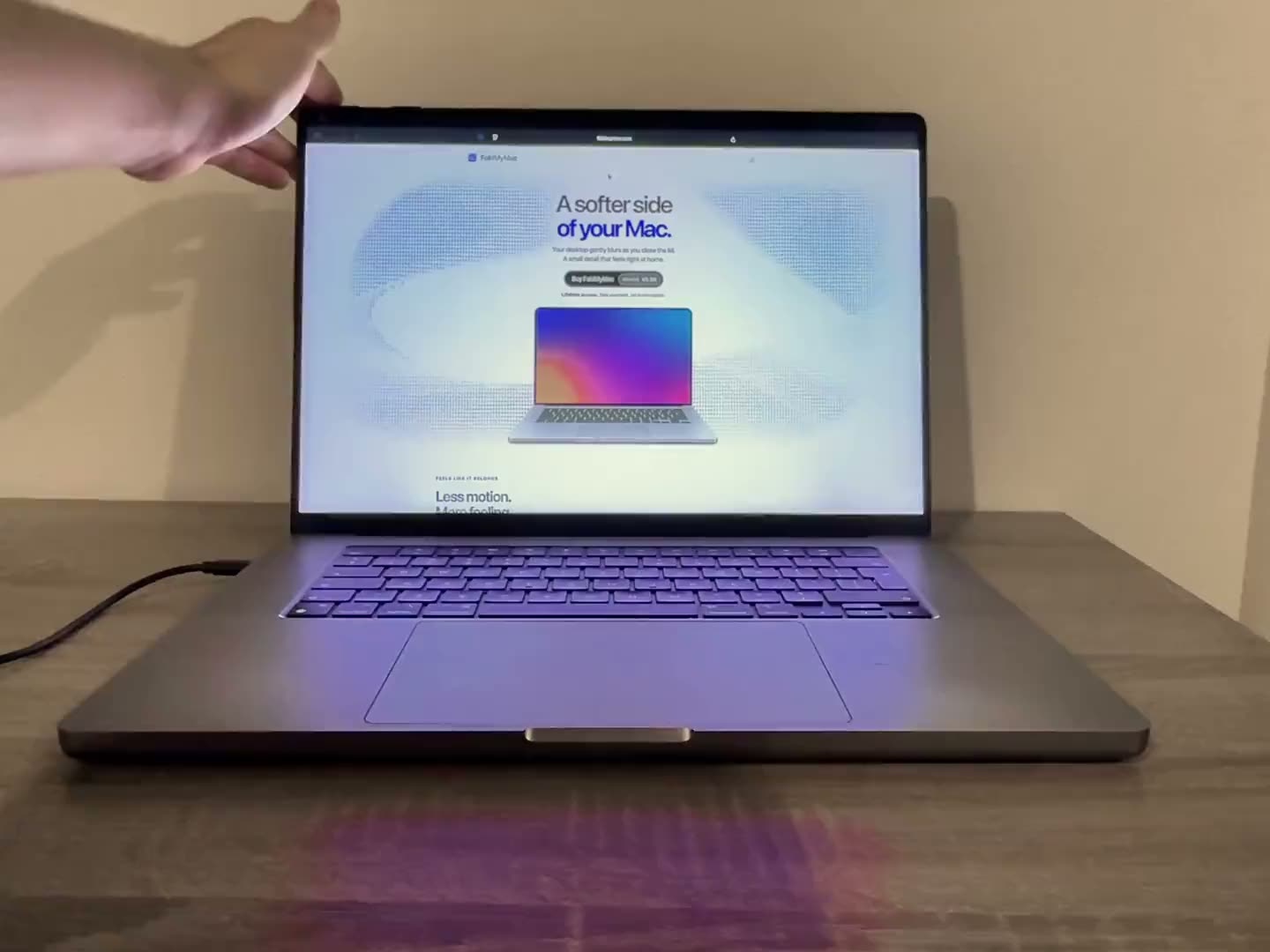
See it in action: FoldMyMac demo video
This short clip shows a real MacBook on a desk. The desktop folds as the lid closes and returns as it opens, driven by the sensor described above.
If your Mac exposes the sensor, you can get the same effect with a one-time payment and a lifetime licence. Start on the FoldMyMac home page, check the FAQ, or browse more guides on the blog.