The MacBook lid angle is the hinge angle that some MacBooks report through a built-in sensor, and macOS has no public API for it. Developers have found it anyway, and the result is a small set of open-source readers and visual experiments, plus an automation app. This article tours the macbook lid angle app and project scene, credits each author, and covers where to start if you want to build your own.
Everything below is based on each project's public README at the time of writing. Details can change, so check the repository before relying on it.
Angle readers and menu-bar displays
The simplest thing to do with the sensor is read it and show a number. Several projects do exactly that, in different languages.
deepakness/LidAngle
LidAngle is a compact menu-bar app that shows the lid angle in degrees, for example "120°". It updates about twice per second and shows a dash when no reading is available. Its README says it reads the hidden HID sensor through IOHIDManager, that the sandbox is disabled to allow this, and that it is not App Store compatible. It credits LidAngleSensor for the original discovery of the method. The README does not state a licence.
andrewcharlesmoss/lid-angle
lid-angle is a small native macOS app that shows the current lid angle by reading the sensor through IOKit HID. It is MIT licensed, free to download from GitHub Releases, and its README says unsupported Macs are handled without crashing.
wangfu91/lid-angle-rs
lid-angle-rs is a Rust command-line tool that prints the angle in real time with a progress bar. It is MIT licensed, lists macOS 11 or newer as a requirement and quotes 0.01 degree resolution.
ufoym/mac-angle
mac-angle is a C++ library for reading the same sensor, aimed at people who want to embed it in their own code. It is MIT licensed and builds with CMake. Its README notes that M1 MacBook Air and Pro models are incompatible because of restricted sensor access.
Visual and playful projects
Once you have a live number, the interesting question is what to do with it on screen.
jh3y/lid-plane
lid-plane is described as a lid-angle-driven progressive blur for macOS. Below 110 degrees by default it applies a progressive blur to a live overlay of the desktop. It runs as a menu-bar utility with no Dock icon, needs macOS 13 or newer, an Apple silicon MacBook and Screen Recording permission. Versions from 0.3.2 are licensed GPLv3-or-later, and 0.3.1 and earlier are MIT.
keiryan/macbook-hinge-challenge
macbook-hinge-challenge is a live lid-angle reader with a small game on top: you move the screen to three randomized angles within 60 seconds. It can read the sensor from the browser through WebHID in Chrome or Edge, which suits anyone who wants to try WebHID, or through a native Swift reader that its README says delivers around 50 reads per second against about one per second in the browser. It is Apache-2.0 licensed. The README is explicit that it is not a secure CAPTCHA and cannot prove human presence.
Automation: a MacBook lid angle app that acts on the angle
Reading an angle is a trigger waiting for an action. Lid is a macOS app that monitors the lid position and runs actions such as blurring the screen, locking, dimming or pausing media. Its site gives examples of rules set at specific angles, such as a privacy blur at 60 degrees and a lock at 20 degrees. It offers a free version and a paid one; see its own site for what each includes.
If you prefer to script your own lid angle automation on a Mac, the readers above are a natural starting point: poll the angle, compare it to thresholds, and call whatever command you want when it crosses one.
FoldMyMac: a finished take on the same sensor
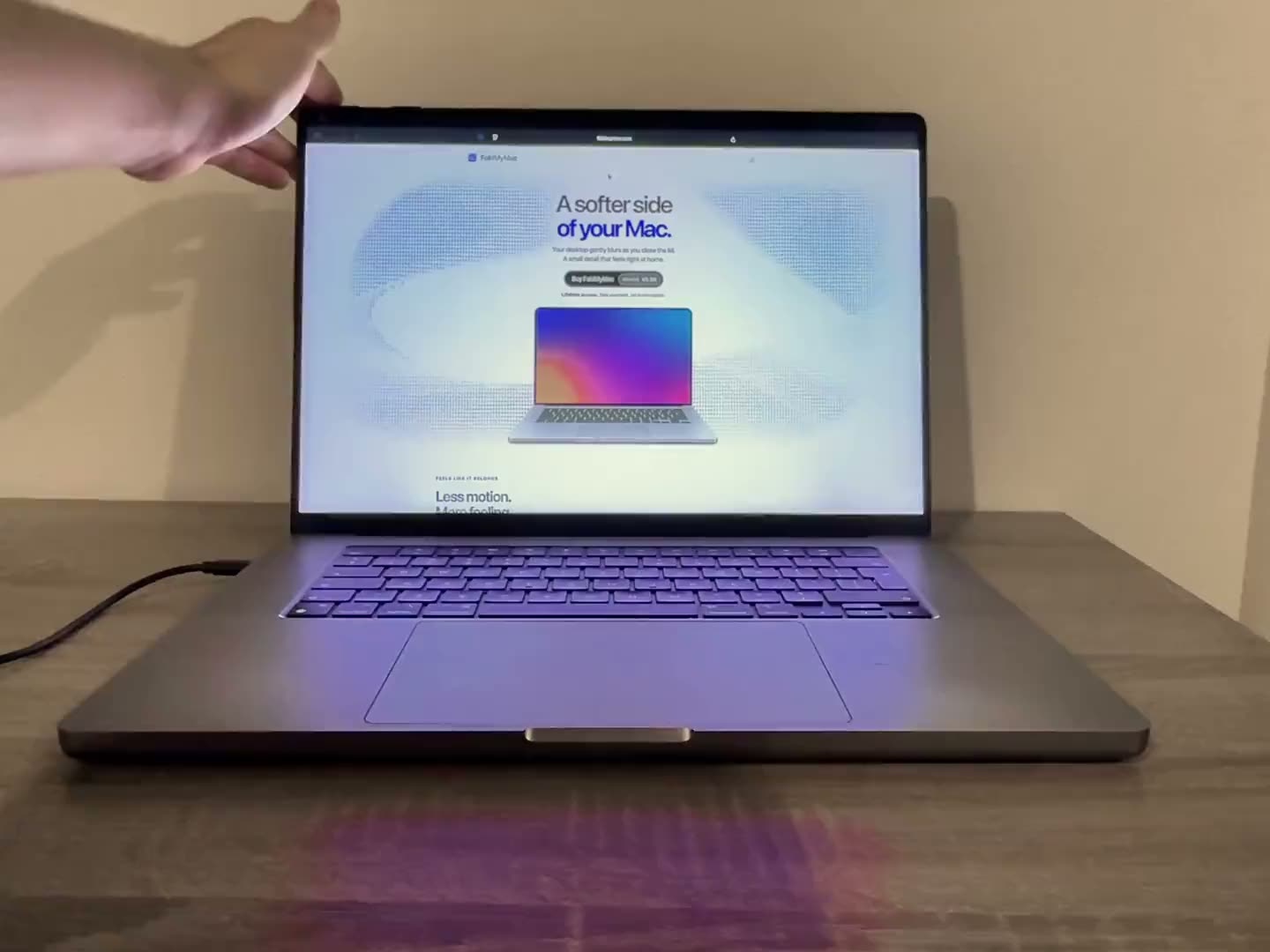
We make FoldMyMac, so this section is naturally biased. It is a menu-bar app that bends and blurs the desktop as you close the lid, with adjustable style, blur, perspective and shadow. It needs macOS 14 or later and an Apple silicon MacBook with a readable lid-angle sensor, and it has been tested on an M5 MacBook Air. Screen frames stay in memory, nothing is recorded to disk or uploaded, and only the built-in display is affected. It is a one-time payment with a lifetime licence.
The lid-plane project above explores a related idea, a blur driven by the angle, so the sensor clearly invites this kind of effect. For how our version works, see how it works, and for models we expect to work, see the compatibility list.
Building your own: where to start
The projects above point to the same general approach, described at a high level.
- Find the sensor as a HID device. The LidAngle README identifies it by vendor 0x05AC, usage page 0x0020 and usage 0x008A, read through a feature report. Apple's IOKit documentation covers the HID manager APIs these tools build on.
- Read it on a timer. The tools range from about two reads per second in a menu bar to dozens per second in a native reader. Pick a rate that suits your use.
- Handle a missing sensor. Not every MacBook exposes a reading, so show a clear fallback rather than failing.
- Decide what the angle drives. A label, a threshold rule, a blur, a game. This is the fun part.
Expect to disable the app sandbox: the LidAngle README says its app is not App Store safe for that reason. If you only want to experiment in a browser, the hinge challenge shows that WebHID can work on compatible hardware.
Caveats: undocumented and hardware dependent
- It is undocumented. Apple has not published the sensor as an API. The LidAngle README itself calls the approach potentially fragile across OS updates, so a future macOS release could change or break it.
- Hardware varies. The projects disagree in detail on which models work, and the READMEs say compatibility varies. Some M1 models are reported not to expose the sensor.
- The chip is not the whole story. On our compatibility page, the 2020 M1 MacBook Air and the M1 and M2 13-inch MacBook Pro with Touch Bar have no automatic lid tracking.
- Permissions. Effects that capture and redraw the screen, such as lid-plane's blur, ask for Screen Recording permission.
FAQ
Is there an official API for the MacBook lid angle?
No. The sensor is read through undocumented HID usage, as the LidAngle project describes, so it may change between macOS releases.
Can I read the MacBook lid angle in a browser?
Possibly. The macbook-hinge-challenge project reads it through WebHID in Chrome or Edge on compatible hardware. Safari lacks WebHID, per that README.
Which MacBooks have a lid angle sensor?
It varies by model. The lid-angle project says it first appeared on the 2019 16-inch MacBook Pro and is present on various newer models. Our compatibility page lists Apple silicon models and their status for FoldMyMac.
Which lid angle app is best for me?
It depends on the goal. For a number in the menu bar, try one of the readers. For rules and actions, look at Lid. For a bending desktop effect, see FoldMyMac. More answers are on our FAQ, and you can browse more posts on the blog.